Service:
UX/UI Design
Industry:
Tech
Year:
2025

Modular In Vehicle UX System

This project reimagines the Apple CarPlay experience through a modular in vehicle interface system designed to increase clarity, personalization, and driving focus. The redesign introduces flexible dashboard layouts, an immersive 3D navigation view, and customizable widget configurations that allow drivers to control their information hierarchy. A companion app enables saved presets and system level adjustments, creating a more adaptive and user centered CarPlay experience.

Modular In Vehicle UX System
Service:
UX/UI Design
Industry:
Tech
Year:
2025

Modular In Vehicle UX System

This project reimagines the Apple CarPlay experience through a modular in vehicle interface system designed to increase clarity, personalization, and driving focus. The redesign introduces flexible dashboard layouts, an immersive 3D navigation view, and customizable widget configurations that allow drivers to control their information hierarchy. A companion app enables saved presets and system level adjustments, creating a more adaptive and user centered CarPlay experience.

Modular In Vehicle UX System

Objective:

Apple CarPlay is intentionally simple, but its fixed layouts can feel limiting in real driving scenarios. Drivers often need different information depending on the situation, such as navigation during city driving or media and weather during longer trips. Switching between apps interrupts focus and adds unnecessary friction.

The challenge was to design a system that adapts to the driver’s needs without overwhelming the screen or compromising safety.

The Problem:

The main objective of this redesign is to create a more intuitive and personalized CarPlay experience. I focused on solving common driver frustrations by improving navigation clarity, making the layout fully customizable, and allowing multiple widgets to stay open at once. The overall goal is a system that adapts to the driver rather than forcing the driver to adapt to the system.

Research and Exploration:

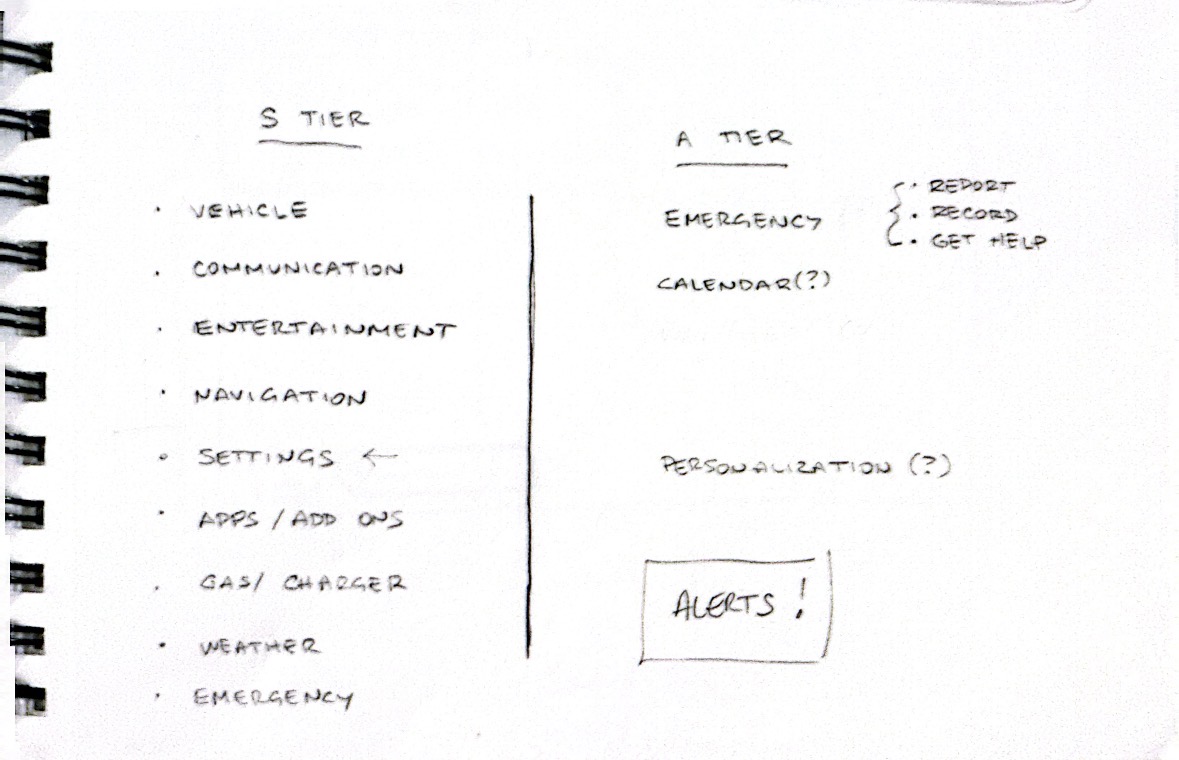
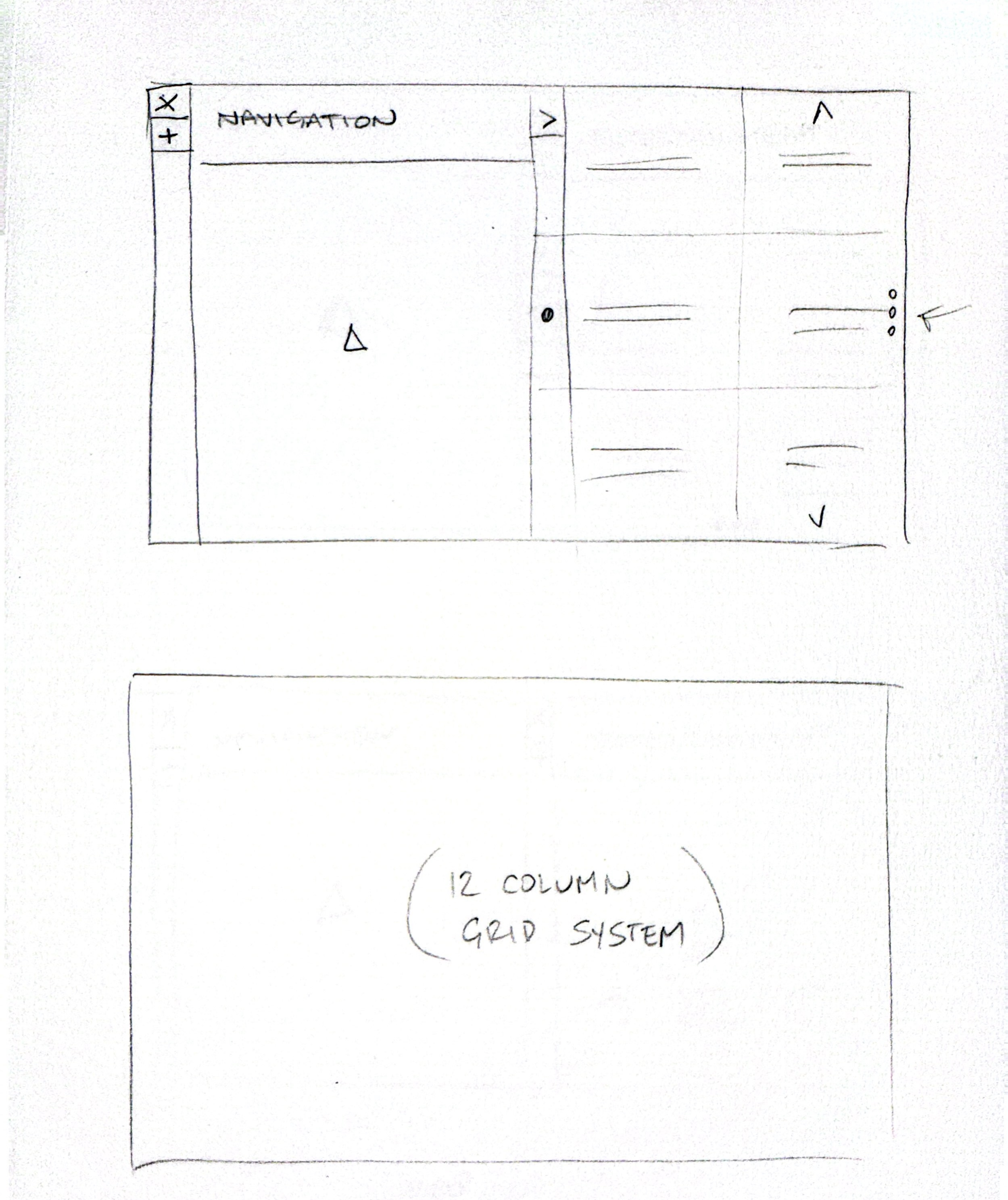
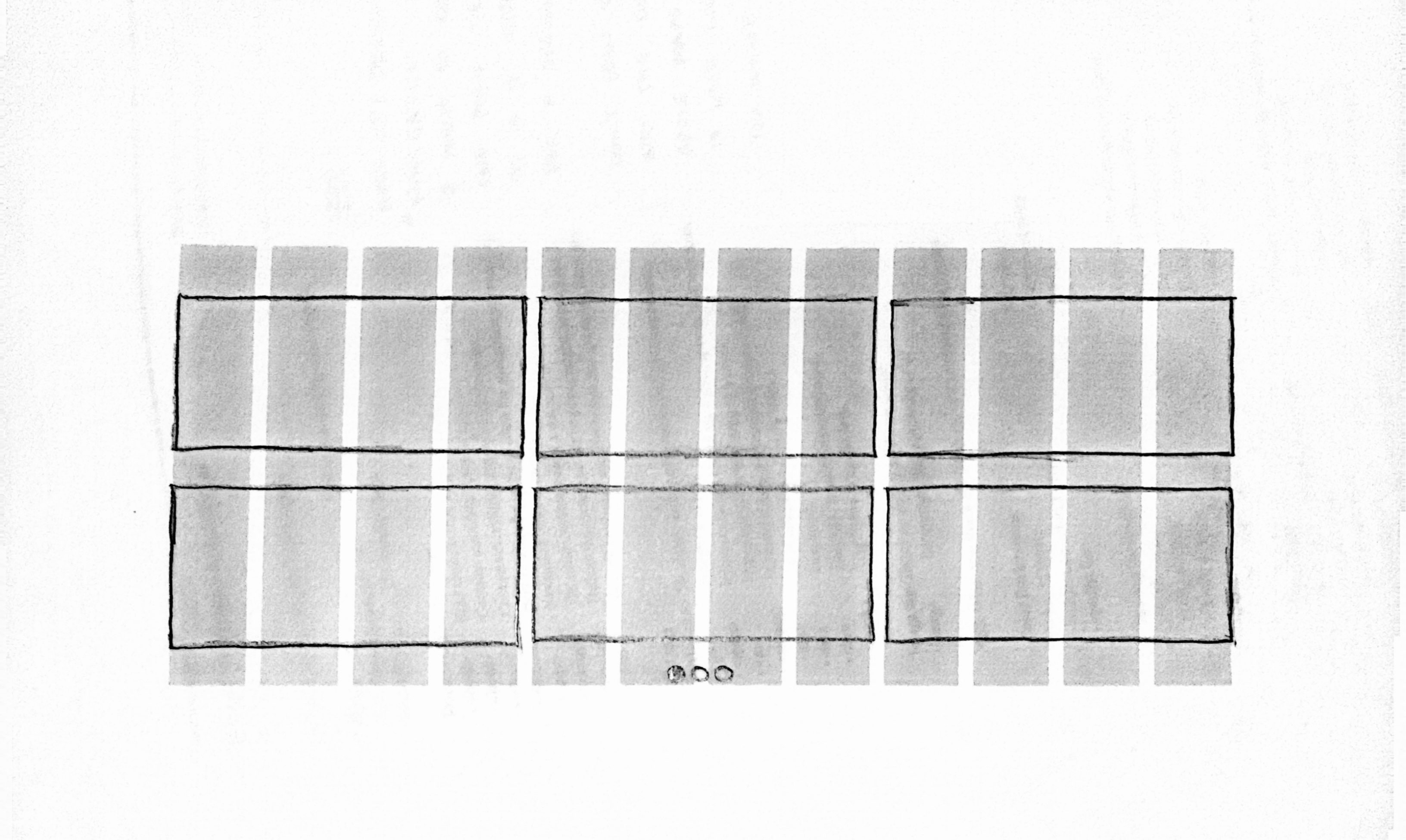
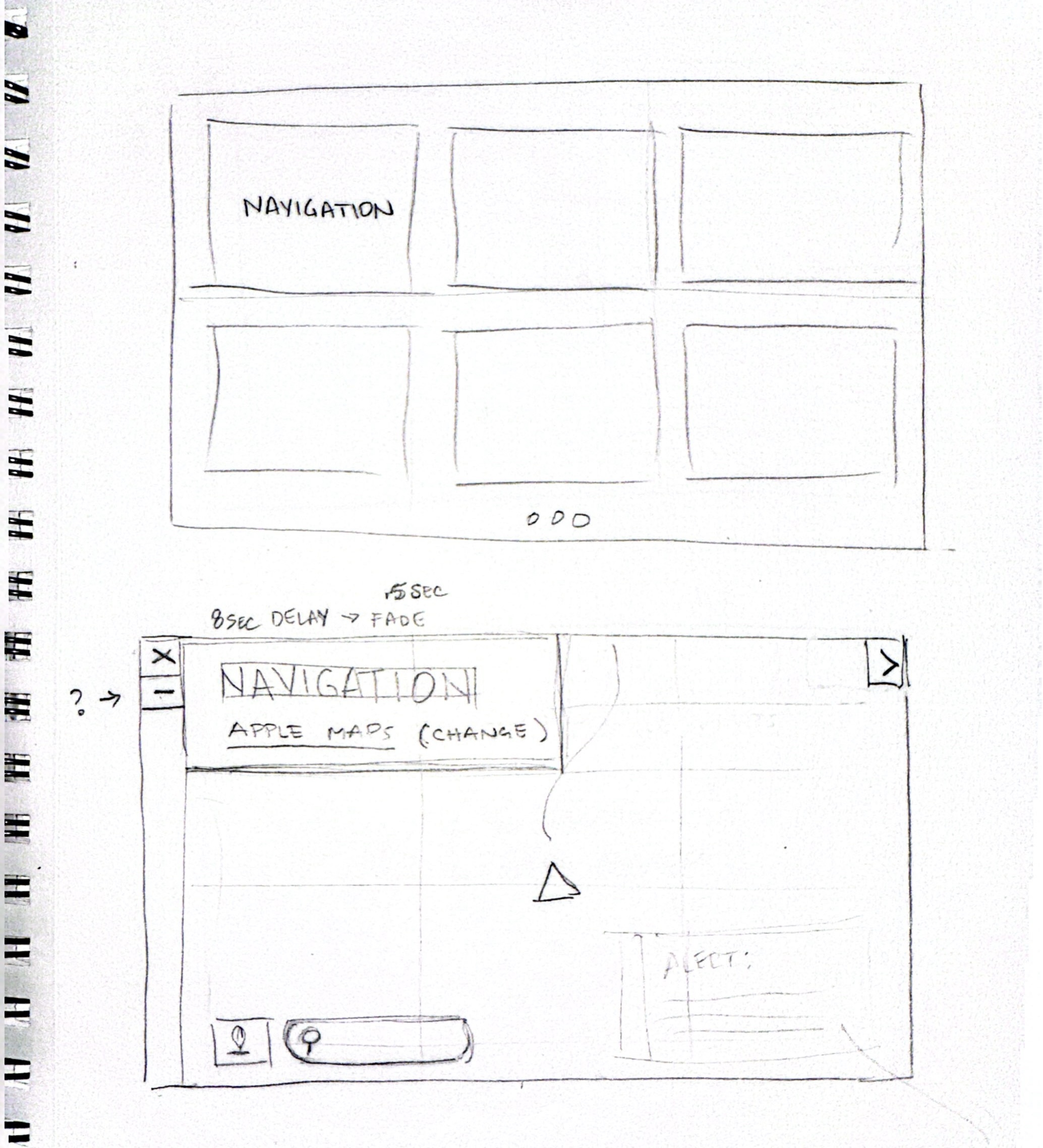
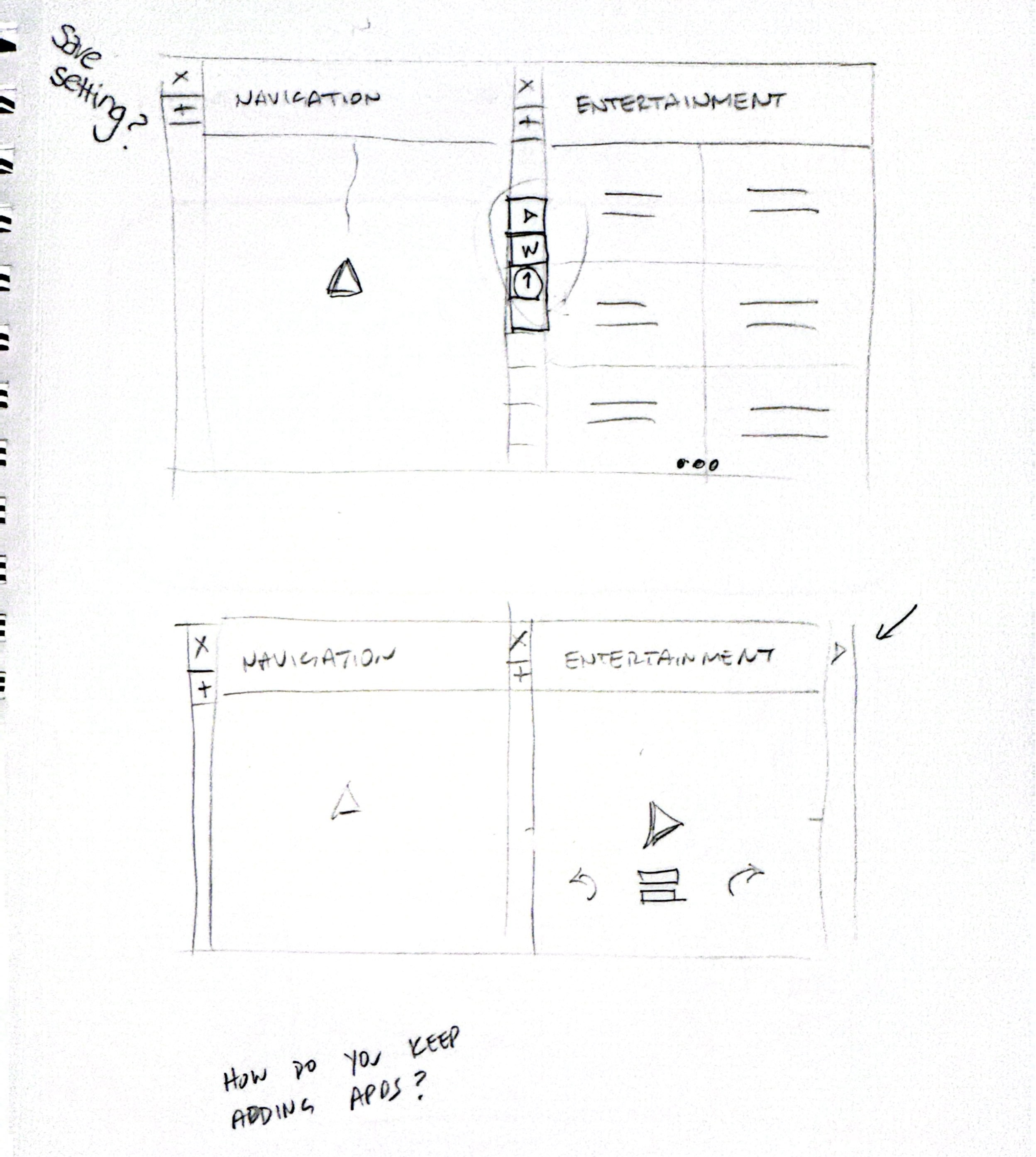
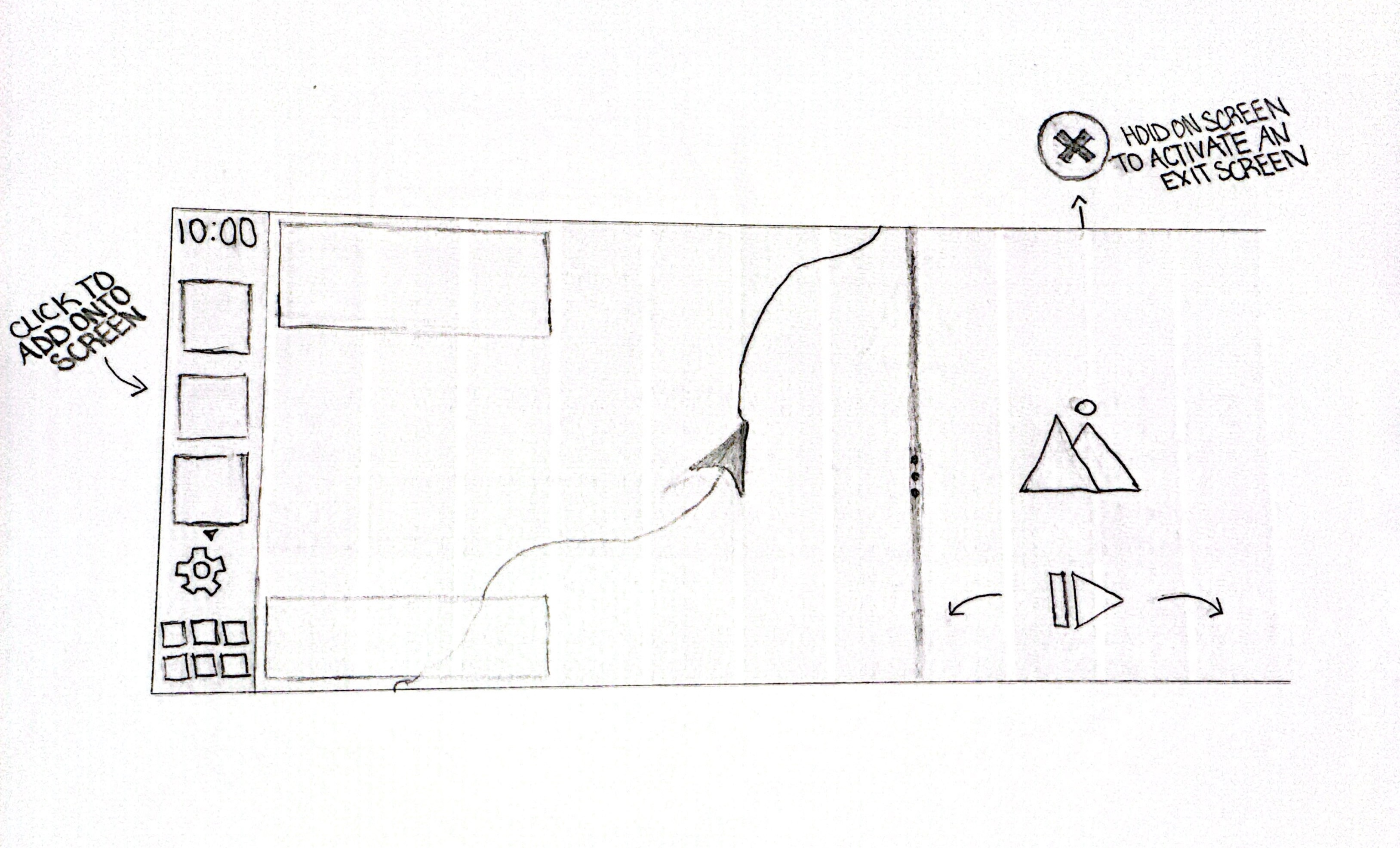
I began by exploring how CarPlay could support modular layouts while maintaining a clear visual hierarchy. Early sketches focused on how navigation, media, and secondary information could coexist without competing for attention.

I tested different grid structures, widget behaviors, and interaction patterns to understand how much flexibility could be introduced without increasing cognitive load. These explorations helped define boundaries around layout limits, interaction simplicity, and information density.

Modular In Vehicle UX System
Service:
UX/UI Design
Industry:
Tech
Year:
2025

Modular In Vehicle UX System

This project reimagines the Apple CarPlay experience through a modular in vehicle interface system designed to increase clarity, personalization, and driving focus. The redesign introduces flexible dashboard layouts, an immersive 3D navigation view, and customizable widget configurations that allow drivers to control their information hierarchy. A companion app enables saved presets and system level adjustments, creating a more adaptive and user centered CarPlay experience.

Modular In Vehicle UX System

Objective:

Apple CarPlay is intentionally simple, but its fixed layouts can feel limiting in real driving scenarios. Drivers often need different information depending on the situation, such as navigation during city driving or media and weather during longer trips. Switching between apps interrupts focus and adds unnecessary friction.

The challenge was to design a system that adapts to the driver’s needs without overwhelming the screen or compromising safety.

The Problem:

The main objective of this redesign is to create a more intuitive and personalized CarPlay experience. I focused on solving common driver frustrations by improving navigation clarity, making the layout fully customizable, and allowing multiple widgets to stay open at once. The overall goal is a system that adapts to the driver rather than forcing the driver to adapt to the system.

Research and Exploration:

I began by exploring how CarPlay could support modular layouts while maintaining a clear visual hierarchy. Early sketches focused on how navigation, media, and secondary information could coexist without competing for attention.

I tested different grid structures, widget behaviors, and interaction patterns to understand how much flexibility could be introduced without increasing cognitive load. These explorations helped define boundaries around layout limits, interaction simplicity, and information density.

Modular In Vehicle UX System
Service:
UX/UI Design
Industry:
Tech
Year:
2025

Modular In Vehicle UX System

This project reimagines the Apple CarPlay experience through a modular in vehicle interface system designed to increase clarity, personalization, and driving focus. The redesign introduces flexible dashboard layouts, an immersive 3D navigation view, and customizable widget configurations that allow drivers to control their information hierarchy. A companion app enables saved presets and system level adjustments, creating a more adaptive and user centered CarPlay experience.

Modular In Vehicle UX System

Objective:

Apple CarPlay is intentionally simple, but its fixed layouts can feel limiting in real driving scenarios. Drivers often need different information depending on the situation, such as navigation during city driving or media and weather during longer trips. Switching between apps interrupts focus and adds unnecessary friction.

The challenge was to design a system that adapts to the driver’s needs without overwhelming the screen or compromising safety.

The Problem:

The main objective of this redesign is to create a more intuitive and personalized CarPlay experience. I focused on solving common driver frustrations by improving navigation clarity, making the layout fully customizable, and allowing multiple widgets to stay open at once. The overall goal is a system that adapts to the driver rather than forcing the driver to adapt to the system.

Research and Exploration:

I began by exploring how CarPlay could support modular layouts while maintaining a clear visual hierarchy. Early sketches focused on how navigation, media, and secondary information could coexist without competing for attention.

I tested different grid structures, widget behaviors, and interaction patterns to understand how much flexibility could be introduced without increasing cognitive load. These explorations helped define boundaries around layout limits, interaction simplicity, and information density.

Modular In Vehicle UX System
Service:
UX/UI Design
Industry:
Tech
Year:
2025

Modular In Vehicle UX System

This project reimagines the Apple CarPlay experience through a modular in vehicle interface system designed to increase clarity, personalization, and driving focus. The redesign introduces flexible dashboard layouts, an immersive 3D navigation view, and customizable widget configurations that allow drivers to control their information hierarchy. A companion app enables saved presets and system level adjustments, creating a more adaptive and user centered CarPlay experience.

Modular In Vehicle UX System

Objective:

Apple CarPlay is intentionally simple, but its fixed layouts can feel limiting in real driving scenarios. Drivers often need different information depending on the situation, such as navigation during city driving or media and weather during longer trips. Switching between apps interrupts focus and adds unnecessary friction.

The challenge was to design a system that adapts to the driver’s needs without overwhelming the screen or compromising safety.

The Problem:

The main objective of this redesign is to create a more intuitive and personalized CarPlay experience. I focused on solving common driver frustrations by improving navigation clarity, making the layout fully customizable, and allowing multiple widgets to stay open at once. The overall goal is a system that adapts to the driver rather than forcing the driver to adapt to the system.

Research and Exploration:

I began by exploring how CarPlay could support modular layouts while maintaining a clear visual hierarchy. Early sketches focused on how navigation, media, and secondary information could coexist without competing for attention.

I tested different grid structures, widget behaviors, and interaction patterns to understand how much flexibility could be introduced without increasing cognitive load. These explorations helped define boundaries around layout limits, interaction simplicity, and information density.

Modular In Vehicle UX System

Early Concept and Sketches:

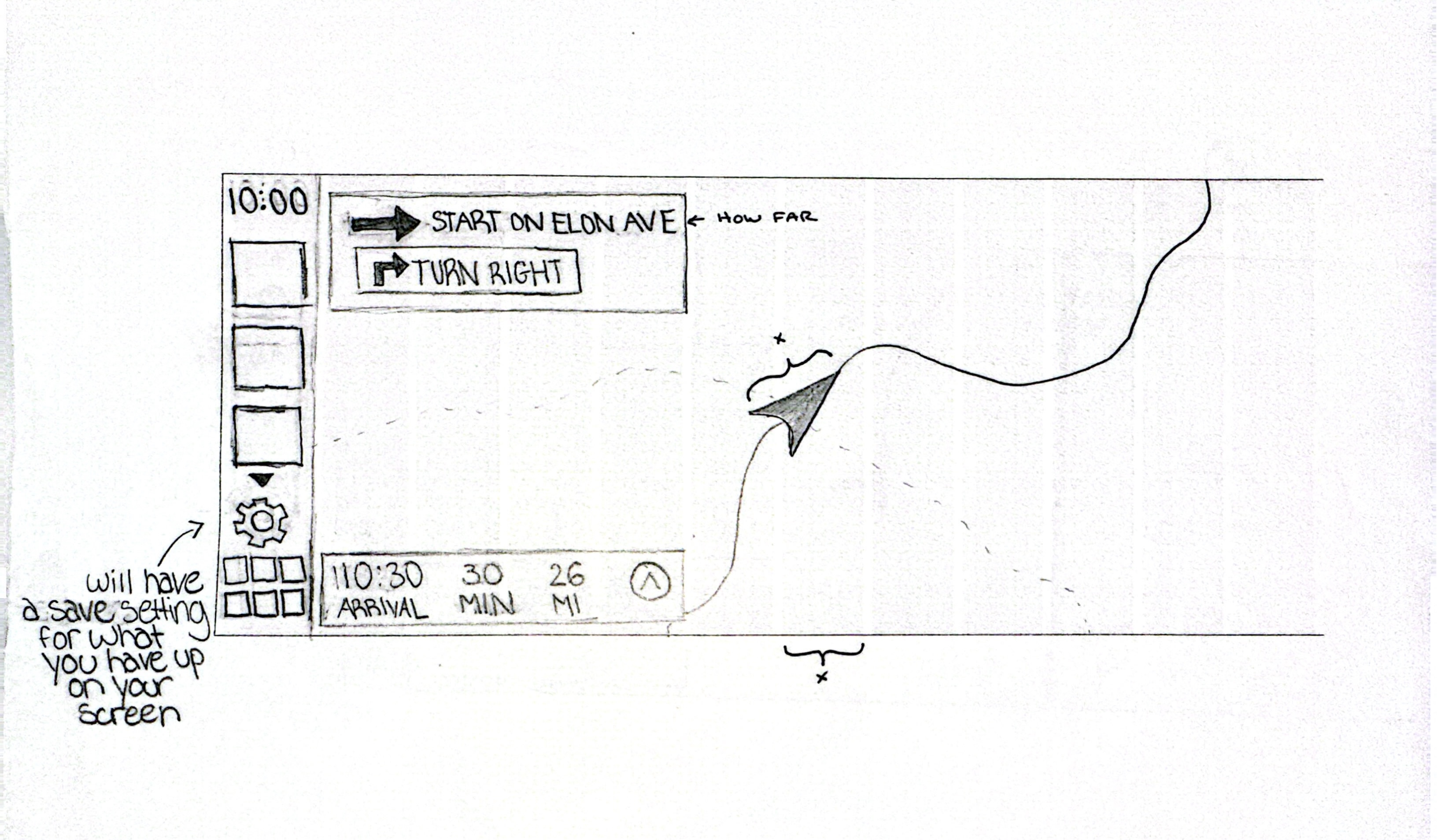
The sketches explore multiple dashboard configurations, including split views, resizable widgets, and dismissible panels. I focused on how drivers might prioritize information differently depending on the trip, such as short commutes versus long highway drives.These concepts helped shape the idea of a flexible grid system and informed how widgets could expand, collapse, or remain persistent on screen.

Companion app:

To keep the in-car experience simple and distraction free, customization is handled through a companion mobile app. Drivers can create, save, and switch between dashboard layouts before starting a drive.

This approach allows deeper personalization without adding complexity to the CarPlay interface itself. Layouts can be tailored to different driving scenarios and recalled instantly when entering the car.

Concept development:

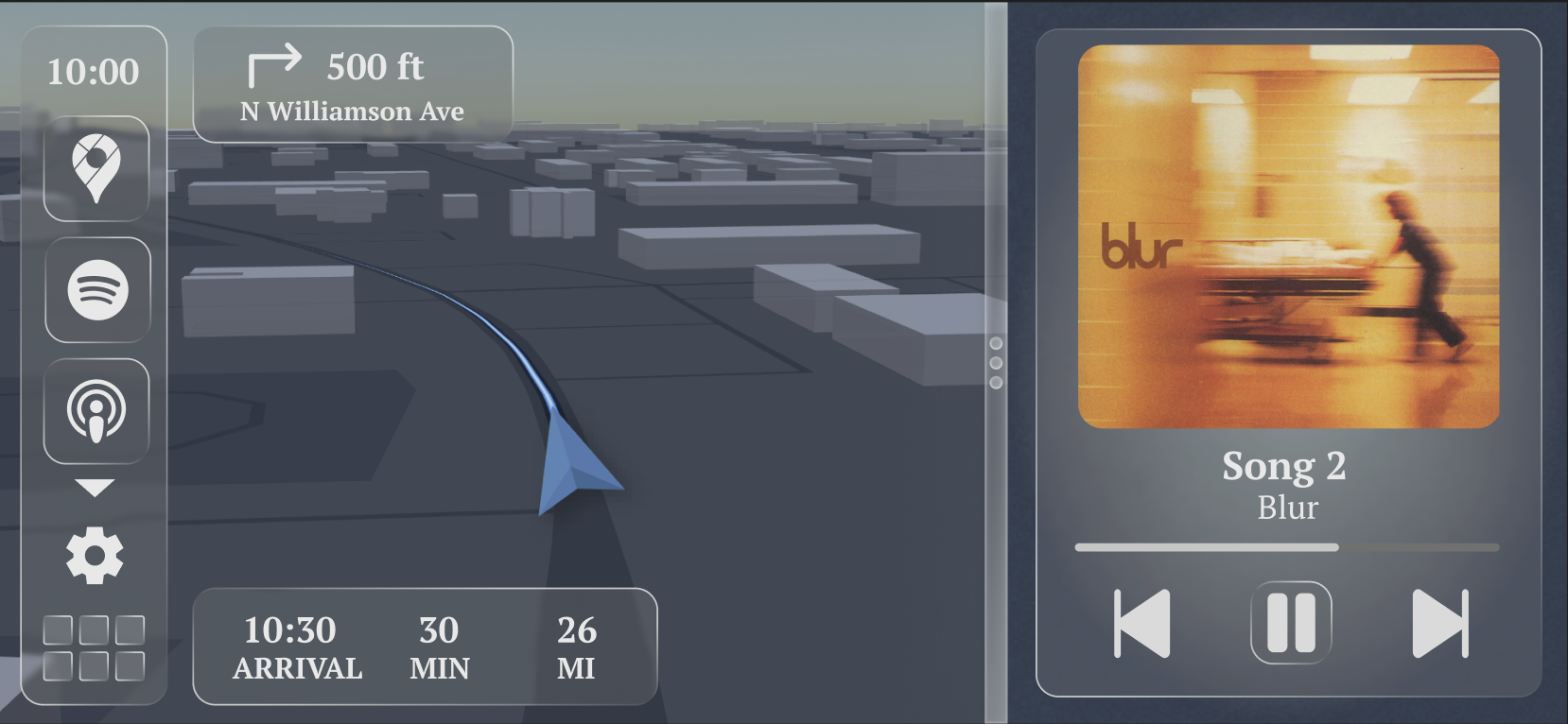
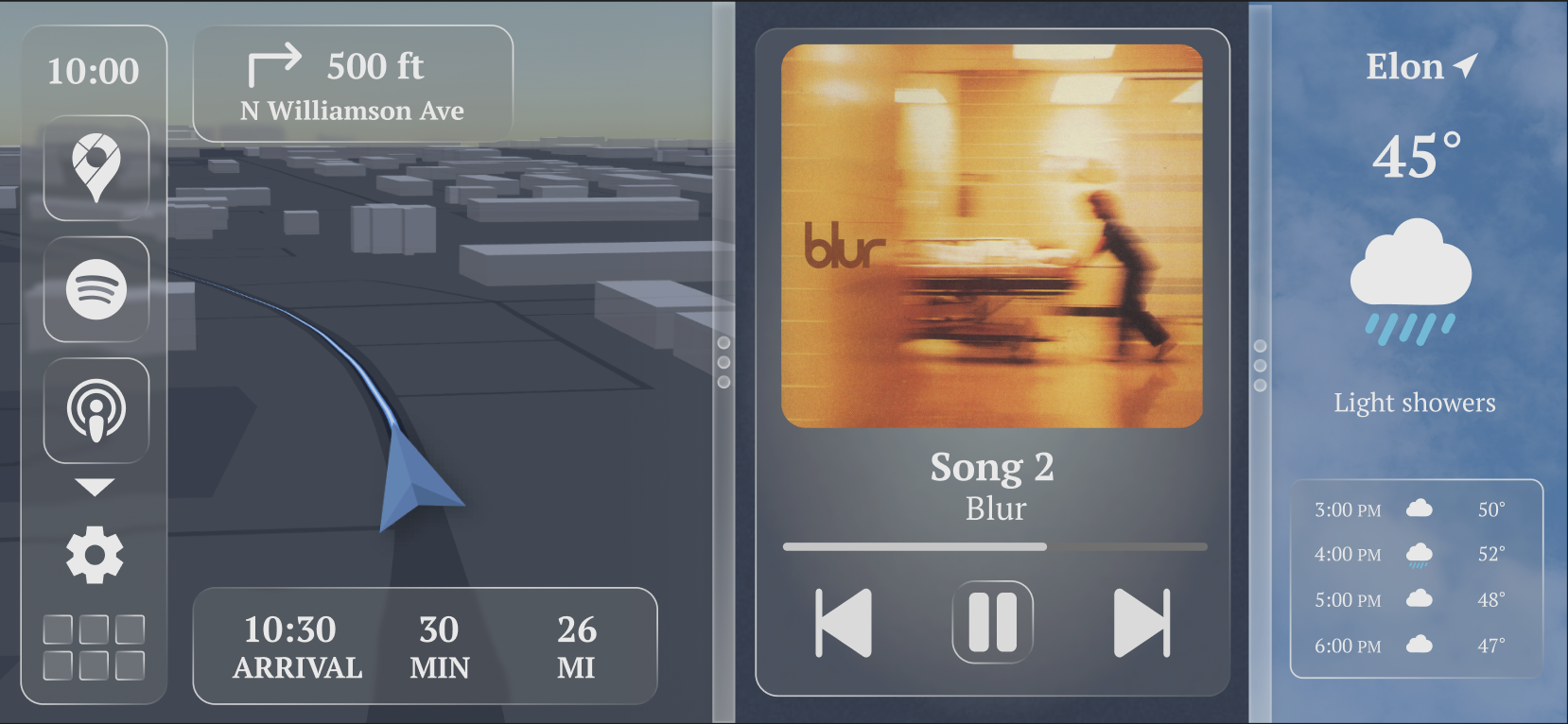
Through iteration, the design converged on a maximum of three widgets displayed simultaneously. This limit balances customization with safety by reducing visual clutter and keeping key information easy to scan.

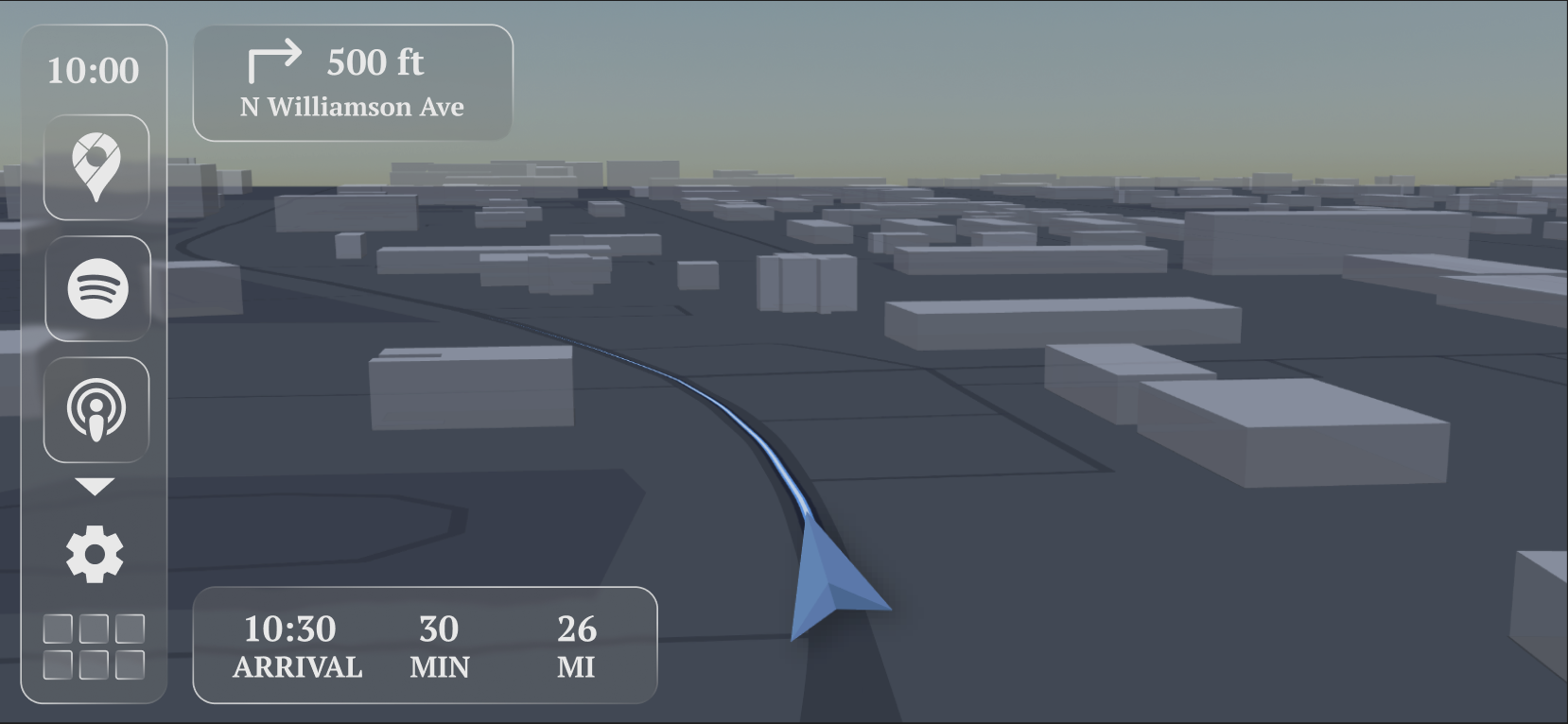
A forward-facing 3D navigation view was introduced to improve spatial awareness and reduce the mental effort required to interpret turns, depth, and distance. The navigation experience was designed to feel grounded in the real world rather than abstract.

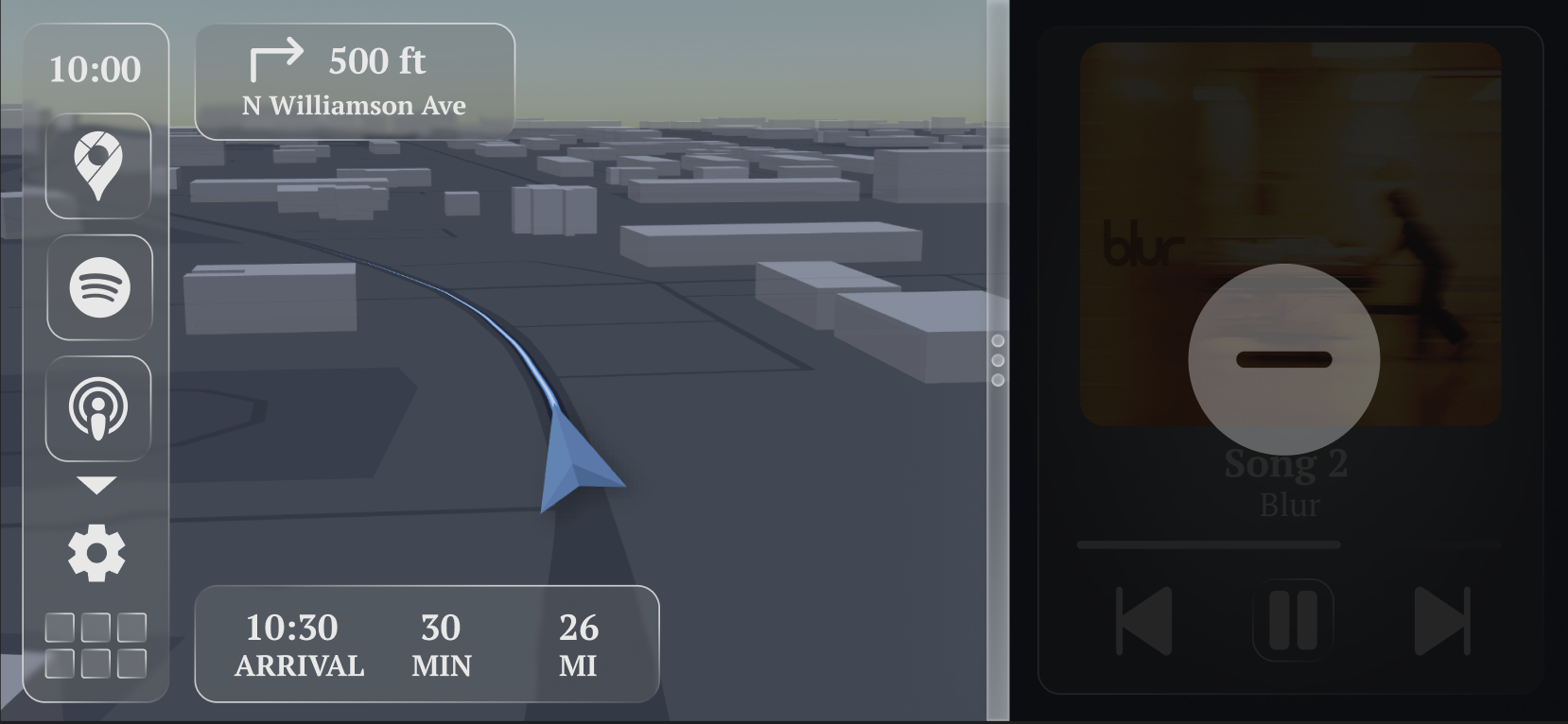
Each widget is designed to be resizable and dismissible with minimal interaction, prioritizing quick glances over prolonged engagement.

building the 3d navigation:

To explore a more realistic navigation experience, I built a forward-facing 3D map prototype rather than using a traditional top-down view. The goal was to reflect how drivers perceive space while moving, using depth and perspective to improve glanceability and spatial awareness.

I prototyped the map using Mapbox and JavaScript, iterating heavily on camera behavior. Small changes to pitch, zoom, and forward offset dramatically affected how immersive the experience felt. Starting navigation further down the route and bringing the camera closer to surrounding buildings helped the environment feel like “driving through” a city instead of observing it from above.

I also refined color, contrast, and route smoothing to keep the interface calm and readable in motion. These technical explorations directly informed the final CarPlay concept, reinforcing forward motion as the primary visual cue and reducing cognitive load during driving.

AI was used as a collaborative tool during this phase to accelerate testing and iteration, while all final design and interaction decisions were made intentionally.

final solution:

The final concept presents a flexible CarPlay dashboard that adapts to different driving needs. Navigation, media, and secondary widgets work together within a consistent visual system designed for clarity and ease of use.

The interface emphasizes forward motion, spatial context, and minimal interaction, creating a calmer and more intuitive driving experience.

Results:

The redesigned system improves navigation glanceability through a forward-facing 3D map view. Drivers can customize their dashboard layout to match different driving contexts. Multiple widgets can remain visible at once, reducing the need for app switching. Widget resizing improves visual hierarchy and quick-glance usability. A companion app separates setup from driving, reinforcing safety-first design.

Overall, the concept demonstrates a more flexible, intuitive, and driver-adaptive CarPlay experience.

Reflection:

This project pushed me to think critically about interface design in high-attention environments. It reinforced the importance of hierarchy, restraint, and context-aware customization. If expanded further, I’d explore real-world user testing, voice-based interactions, and adaptive layouts that respond automatically to driving behavior.